Settings
Rust Pro Settings Guide
Copying a champion’s entire config will not make you one. But a few Rust settings reliably improve visibility, audio reads, and aim consistency. Here is what is worth stealing.
Get Access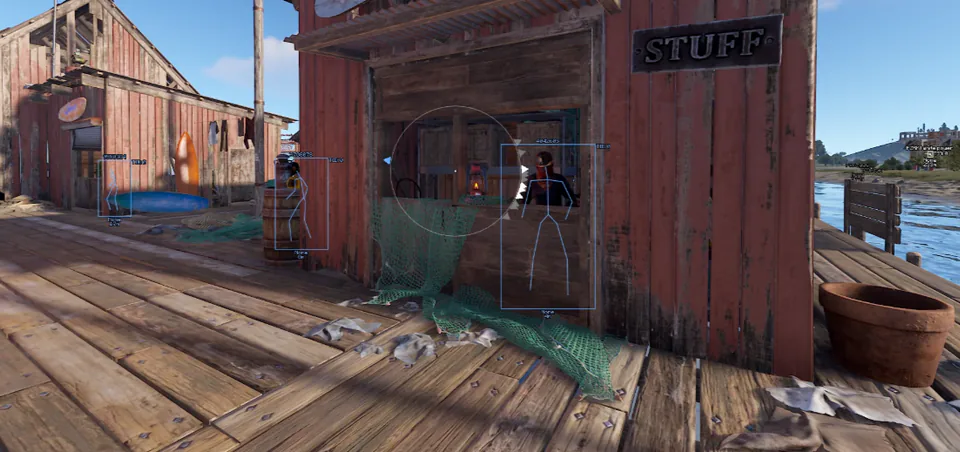
Visibility and performance before fancy numbers
If your frame rate collapses in monument river zones or Outpost interiors, no aim smoothing tip will save you. Prioritize a stable FPS and readable shadows over maximum eye candy. Many strong players lower clutter so player silhouettes pop sooner in tree lines and warehouse lighting.
Test changes in practice server or a quiet server before locking them for serious raids. Your eyes adapt in a few raids — give settings that long before declaring them useless.
Sensitivity, ADS, and muscle memory
Pick one hip-fire and ADS relationship and stick with it for at least a week. Constantly rewriting sens after every death trains nothing. Warm up with the routine in our warmup guide so your hands match the new numbers.
If you later add soft aim tooling, match the in-game sens first, then tune FOV in the aimbot guide. Tools on top of a chaotic sens feel robotic and obvious.
Audio cues that win bases
Footsteps, ability cooldowns, and footstep audio often matter more than a tiny graphics slider. Use headphones, keep voice chat from drowning game audio, and learn the sound difference between a NPC shuffle and a player push.
Settings are leverage, not a cheat code. Pair them with map knowledge from our loot routes article so you know where those sounds are coming from.
Settings that support ESP and aim tools
Stable FPS and clean silhouettes make every tool better. Before you tune soft aim, fix sensitivity and visibility here so assists feel natural instead of robotic.
Audio and shadow clarity also reduce how much you need to toggle ESP categories mid-fight. Revisit settings after major patches on Updates.
Official game guides & resources
We link to trusted third-party sources so you can verify patch notes, player stats, and map info outside our site.
- Rust on Steam Official store page, system requirements, and player reviews.
- Steam patch notes & news Read official update posts before you change your loadout.
- Official Rust website Game overview from Facepunch Studios.
- Rust Wiki (Fandom) Player stats, maps, and survival mechanics.
- Steam Community hub Announcements and community discussions.